
Python Basics: A Complete Beginner’s Guide
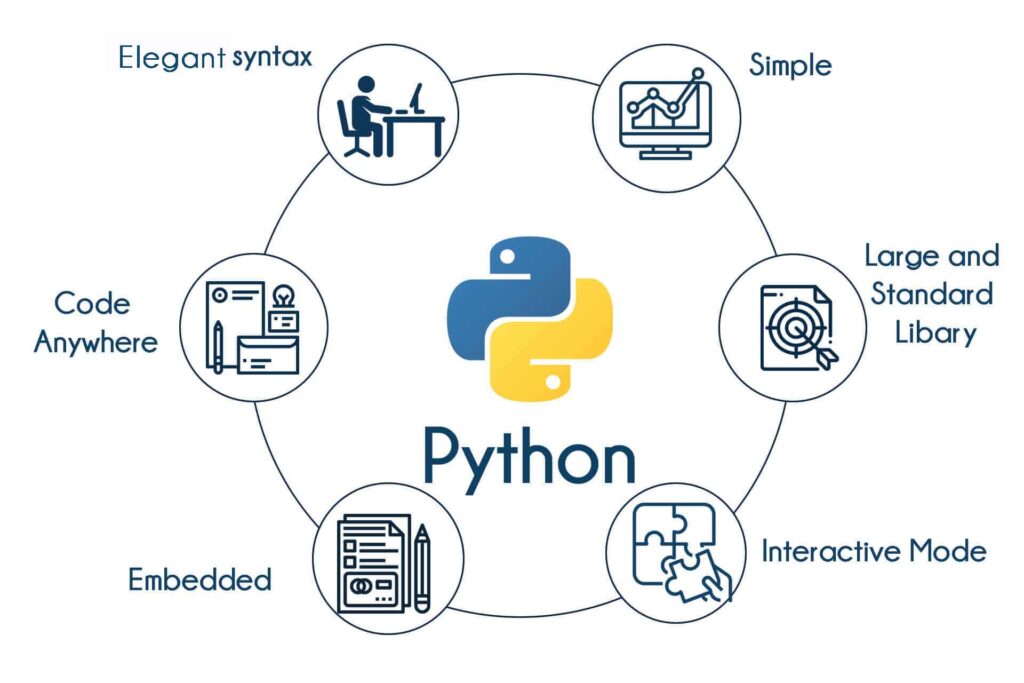
Python is a simple, powerful, and versatile high-level programming language. Created by Guido van Rossum in 1991, it is now one of the world’s most popular languages. It is widely used in web development, data science, AI/ML, automation, and scientific computing.
Key Features:
- It features a clean and readable syntax that makes it easy to learn.
- It is open-source, free, and community-driven.
- It does not require semicolons or curly braces; instead, it uses indentation to define code blocks.
Modes of Operation
You can write and run Python code in two main ways:
- Interactive Mode: Best for quick testing, exploring functions, and debugging. Start it by typing
pythonorpython3in the terminal to run commands one at a time. - Script Mode: Best for building applications and larger projects. Write your code in a
.pyfile and execute the whole program by typingpython filename.py.
Python Syntax & Fundamentals
Comments Comments make code readable and help explain logic, and they are ignored by Python when the code runs.
- Single-line comments: Start the line with a
#symbol. - Multi-line comments (Docstrings): Enclose the text in triple quotes (
"""or''').
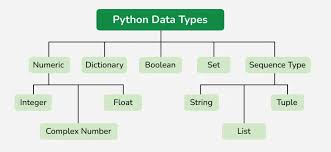
Variables & Data Types Python does not require explicit type declarations for variables. Common data types include:
- String: Text characters (e.g.,
"Alice"). - Integer: Whole numbers (e.g.,
25). - Float: Decimal numbers (e.g.,
5.6). - Boolean: True or False values (e.g.,
True).
Operators
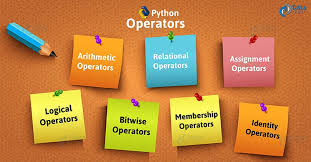
Python supports standard mathematical and comparative operations.
Arithmetic Operators
- Addition (
+), Subtraction (-), Multiplication (*), Division (/). - Floor Division (
//): Divides and rounds down to the nearest whole number (e.g.,10 // 3results in3). - Modulus (
%): Returns the remainder of a division (e.g.,10 % 3results in1). - Exponent (
**): Raises a number to a power (e.g.,2 ** 3results in8).
Comparison Operators These compare values and return either True or False.
- Equal to (
==) and Not equal to (!=). - Greater than (
>) and Less than (<). - Greater or equal (
>=) and Less or equal (<=).
Control Flow: Conditionals & Loops
Conditional Statements Conditionals control the flow of a program based on specific criteria.
if: Executes a block of code only when its condition is True.elif: Checks another condition if the precedingifstatement was False.else: Runs a block of code when none of the above conditions are True.
Looping Statements
forloops: Used to iterate over sequences like lists, strings, or a specific range of numbers (e.g.,range(1, 6)).whileloops: Continue to run a block of code as long as a specified condition remains True. Thebreakkeyword can be used to exit the loop early.
Functions
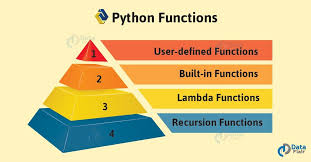
Functions are defined using the def keyword and can send back a value using return.
- Parameters: Functions accept arguments that can be positional (matched by order), default (having fallback values), or keyword (named when calling the function).
Common Built-in Functions
print(): Displays output.input(): Reads user input.len(): Returns the length of an object.type(): Checks the data type of a value.- Conversion functions like
int()andstr()convert values to integers and strings, respectively.
Python Libraries & Ecosystem
Libraries extend Python’s native capabilities and are typically installed using pip install.
- NumPy: Used for numerical computing and array operations.
- Pandas: Used for data manipulation, DataFrames, and handling CSV/Excel files.
- Matplotlib: Used for data visualization, charting, and plotting graphs.
- Flask / Django: Popular frameworks for web development.
- Requests: Handles HTTP requests and API calls.
Deep Dive: Scikit-learn Scikit-learn is the primary machine learning library used in this coursework. It covers several core ML capabilities:
- Classification: Categorizing data, such as spam detection.
- Regression: Predicting continuous values, like prices or temperatures.
- Clustering: Grouping similar data points, like customer segmentation.
- Preprocessing: Cleaning and preparing data for models.